Slim Keyboards
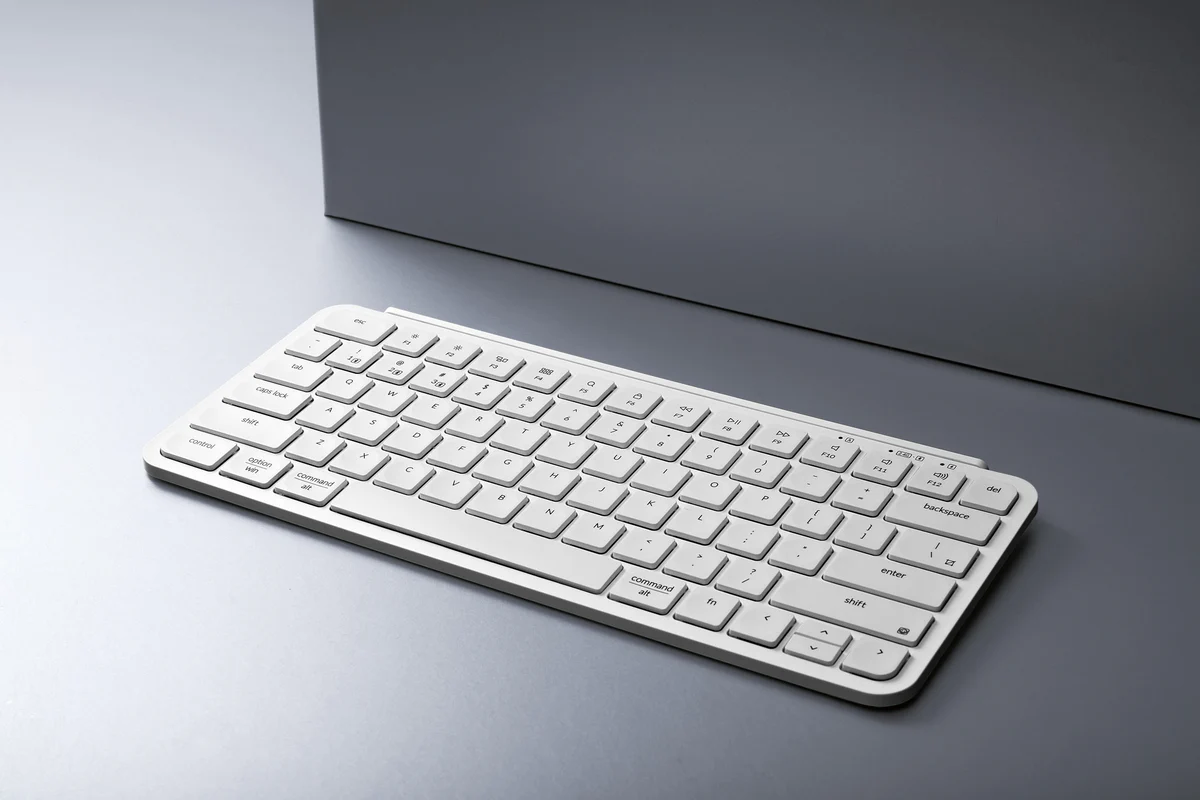
Slim keyboards — also called low-profile keyboards — reduce key height and travel distance to create a thin, portable form factor. They sit closer to the desk surface and require less finger movement per keystroke, making them popular for travel, minimalist desk setups, and anyone transitioning between a laptop and a desktop.
How They Work
Slim keyboards achieve their low profile by using shorter switches with reduced pre-travel — typically 1 to 2 mm versus the 2 mm standard on full-height mechanical — and lower-profile keycaps that sit closer to the board. Some slim keyboards use scissor mechanisms over a membrane layer (like most laptop keyboards), while others use dedicated low-profile mechanical or optical switches. The result is a keyboard roughly half the height of a full-size mechanical board while still providing some distinct switch character.
Common Variants
Low-profile Mechanical
Full mechanical switches built to a shorter spec — such as Cherry MX Low Profile or Kailh Choc. Keeps the distinct actuation point of mechanical while slashing overall height.
Scissor Switch
A plastic X-brace stabilizes each keycap over a rubber dome. The mechanism in most laptop keyboards and slim desktop models from Apple and Logitech. Crisper than bare membrane.
Low-profile Optical
Uses an infrared beam to detect actuation instead of physical contact. Combines the slim form factor with the near-instant response of optical switches — growing in popularity for slim gaming boards.
Chiclet
Flat, island-style keycaps over a membrane layer — the most common slim design on budget laptops and entry-level desktop keyboards. Simple, quiet, and easy to clean.
Low-profile vs. Full-size: The Numbers
A standard full-height mechanical key sits about 32 mm above the desk surface; a low-profile key sits around 18–22 mm. Key travel drops from a typical 4 mm to 2–3 mm. Those numbers might sound minor, but across thousands of keystrokes they translate to measurably less finger-lift and, for many users, reduced wrist extension angle. If you type at a desk without a wrist rest, a slim board can noticeably reduce the strain over a long session.
Pros
- Thin and lightweight — fits easily in a bag
- Less finger travel reduces fatigue over long sessions
- Minimal desk footprint and clean aesthetic
- Quieter than full-height mechanical switches
- Keeps typing angle consistent with a laptop keyboard
- Low-profile optical variants offer very fast actuation
Cons
- Less tactile feedback than full-height switches
- Fewer switch types and keycap customization options
- Shorter travel increases chance of accidental keypresses
- Low-profile mechanical versions can cost as much as standard mechanical
- Bottom-out feel can seem harsh without a wrist rest
Popular Models
The benchmark slim keyboard for macOS users. Refined scissor switches, rechargeable battery, and zero desk bulk. Available with Touch ID and numeric pad.
Premium productivity slim with spherical key dishes, backlit keys, and multi-device Bluetooth switching. Works across Mac, Windows, and Linux.
A 75% low-profile mechanical keyboard with hot-swap Kailh Choc switches, wireless connectivity, and a compact footprint that doesn't sacrifice layout.
Round-keyed Bluetooth board that pairs with up to three devices. Tiny, light, and affordable — ideal for travelling between a phone, tablet, and laptop.
Who Should Use One
Slim keyboards are ideal for users who travel frequently, work in shared spaces where a quiet keyboard matters, or prefer a minimal desk with nothing rising too far above the surface. If your hands move between a laptop and a desktop keyboard throughout the day, a low-profile board keeps the typing angle consistent and removes the adjustment period. They're also a solid choice for anyone experiencing wrist strain from high-profile keyboards, as long as ergonomic positioning is also addressed.